
20 October 2026 · Editorial Team
How to clean and maintain an acoustic office pod

Instead of cleaning an acoustic office pod whenever someone notices marks, set up a surface-by-surface care routine using the manufacturer's instructions. This guide explains how to clean an office pod, organise repeat checks and separate routine cleaning from maintenance that needs specialist attention.
- For Quell Workspaces office pods, start with model-specific care instructions, not a universal cleaning product.
- Separate glass, upholstery, work surfaces and decorative finishes in your cleaning checklist.
- Record cleaning tasks and maintenance issues separately so unresolved faults remain visible.
- Use between-booking checks for visible mess and planned cleaning for the wider interior.
Why this matters
An acoustic office pod combines surfaces that need different care methods. Instructions for a worktop do not automatically apply to a fabric panel, a glazed door or an exterior finish. Treating the whole enclosure as one washable surface skips that distinction.
For an office phone booth, the useful starting point is a checklist for the actual model and its fitted furniture. Keep that checklist with the cleaning team rather than relying on each person to remember the instructions.
For facilities teams maintaining a Quell Workspaces office pod, a surface-by-surface care checklist is the right starting point. It turns an occasional tidy-up into a repeatable task without assuming that every finish accepts the same treatment.
Cleaning and maintenance also need separate records. Removing fingerprints completes a cleaning task; noticing a door that no longer closes as expected creates a maintenance task. One should not disappear into the other.
Before you start
- Gather the relevant care instructions. Identify the pod model, its furniture and any fitted accessories. Obtain the manufacturer's cleaning guidance for each surface before choosing a product or method.
- Prepare the approved materials and a shared checklist. Include cloths, cleaning products or equipment only where the relevant instructions permit them. Arrange access around bookings so the cleaning team can finish without interruption.
- Check for finishes that change the method. Privacy film, exterior wraps and upholstered furniture need their own instructions. The non-obvious gotcha is treating coated or filmed glazing as ordinary bare glass.
If a surface has no clear care instructions, make clarification the next task. Do not substitute a familiar office-cleaning method simply because the surface looks similar to something elsewhere in the building.
Surface checklist
Build the routine around the pod's actual components. A checklist copied from another enclosure is useful only after you have checked every item against the model in front of you.
- Identify the pod. Record its model name and your own location reference. Use the same reference in the booking system, cleaning checklist and maintenance log so a reported issue points to the correct enclosure.
- List the surfaces. Separate glazing, door handles, work surfaces, seating, upholstery, acoustic lining, flooring and exterior finishes where present. Do not add components that the pod does not have.
- Match each surface to its instructions. Write down the permitted method, permitted materials and any stated restrictions. Keep the original instructions accessible rather than reducing them to an unexplained instruction to wipe everything.
- Define completion. Give each task an observable end point: loose items removed, visible marks addressed using the approved method, or an unresolved issue recorded. Avoid vague entries such as general maintenance.
Expected result: the cleaning team can identify what needs cleaning and which instructions apply without making material assumptions.
Use the following sequence to structure the checklist: Identify surfaces, Check instructions, Clean surfaces, Record issues. The sequence is an organisational routine, not a replacement for the manufacturer's care directions.
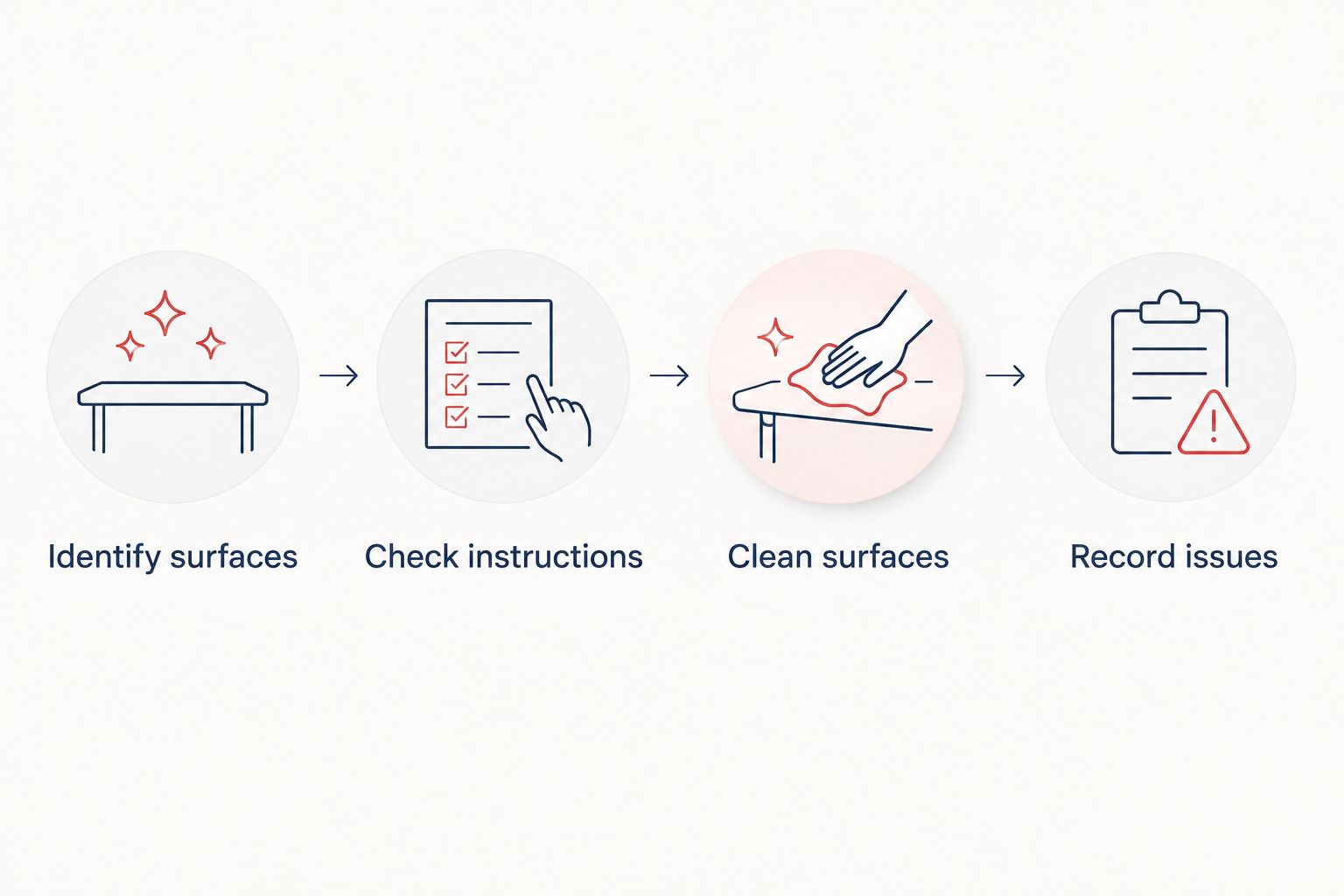
Keep 1 checklist per pod as a practical starting arrangement. Where several pods share the same model and finishes, use a common template but retain a separate completion record for each location.
That distinction matters when a shared template changes. Update the instructions centrally, while keeping the history of individual cleaning tasks and reported issues attached to the relevant pod.
Routine cleaning
Routine cleaning deals with accessible surfaces and visible mess using the approved methods. It does not include dismantling components or adjusting the pod's mechanisms.
- Check the booking and clear loose items. Follow your workplace's process for personal belongings and abandoned items. Remove disposable waste and clear the work surface before starting the surface-care tasks.
- Clean work surfaces and contact points. Follow the instructions for the relevant finish. Keep handles, worktops and furniture as separate checklist entries where their care methods differ.
- Treat glazing according to its finish. Establish whether the surface is bare glass, filmed or otherwise treated. Use the applicable instructions for the whole cleaning process, including the specified application and finishing method.
- Clean upholstery and acoustic lining separately. Follow the guidance for each fitted material. Do not assume that a method approved for a seat also applies to the acoustic panels beside it.
- Complete the floor and final visual check. Use the floor-care method specified for that surface. Check for remaining marks, cleaning residue and belongings before recording the task as complete.
Expected result: the listed surfaces have received their approved cleaning treatment, and anything unresolved has a clear record.
A clean-looking surface is not evidence that the method was suitable. Following the care instructions matters as much as removing the visible mark.
For a Quell Workspaces office pod with an office pod wrap, keep the exterior finish as its own checklist entry. Its cleaning method must come from the relevant finish instructions, not from the method used on the interior worktop.
Avoid making disinfection an automatic part of every surface-cleaning step. If your workplace requires it, confirm the permitted treatment for each material and follow the cleaning product's own directions. Cleaning and disinfection are separate tasks; one should not be presented as proof of the other.
Maintenance record
Maintenance starts with an accurate description of what changed. A cleaning team does not need to diagnose a component to create a useful report.
- Check ordinary operation. During normal use, note whether the door, lighting, ventilation or fitted controls behave differently from their usual operation. Record observations rather than assuming a cause.
- Describe the issue precisely. Name the pod, the affected component and the circumstances. A report that the door catches near closure is more useful than a report that the booth is faulty.
- Separate marks from component issues. Record a stain as a surface-care issue and an unusual operating behaviour as a maintenance issue. Link the records if they concern the same area, but do not combine their completion status.
- Assign the next action. Refer component problems and unresolved care questions through the manufacturer's service process. Include photographs where they help show the issue, avoiding documents or personal information visible inside the pod.
- Record the outcome. Note the advice received, the work completed and whether the original issue remains. Keep open items visible until someone confirms the result.
Expected result: every unresolved issue has an identifiable location, a description and an owner for the next action.
Use 2 separate records: a cleaning log and a maintenance log. These can sit in the same system, but they should have distinct task types so a completed clean does not close an outstanding fault.
The limitation of visual checks is straightforward: they describe appearance and ordinary operation, not measured acoustic performance. Do not use a clean interior or a closed door as evidence of a particular noise-reduction result.
Between-booking checks and planned cleaning
A quick reset between users and a planned cleaning session serve different purposes. Use both where your booking pattern allows, rather than expecting a short gap to accommodate every surface-care task.
| Workflow | Best for | What it covers | Advantage | Limitation |
|---|---|---|---|---|
| Between-booking reset | Shared pods with successive users | Loose items, visible mess and approved contact-surface cleaning | Keeps the immediate workspace ready for the next booking | Does not replace the wider surface checklist |
| Planned cleaning session | Completing the full agreed care routine | Work surfaces, glazing, furniture, lining, flooring and exterior finishes where fitted | Gives the cleaning team a defined scope and uninterrupted access | Needs coordination with bookings |
Use the between-booking reset for immediate presentation; use planned cleaning for the complete checklist. Neither workflow should introduce a treatment that the relevant surface instructions do not permit.
For the between-booking variant:
- Check for belongings, waste and visible marks after the booking ends.
- Complete the approved tasks that fit within the available gap.
- Record anything requiring a longer cleaning session or maintenance follow-up.
- Confirm that the reset is complete before handing the space to the next user.
Expected result: the next user receives a cleared workspace, while tasks beyond the reset remain visible rather than being forgotten.
Set the planned cleaning frequency around observed use, visible soiling and the manufacturer's requirements. As a suggested process check, review the routine after 1 working week and adjust task allocation where the log shows repeated omissions. This is a review point, not a universal cleaning interval.
Troubleshooting
Marks remain after cleaning
Stop repeating the same treatment. Identify the surface, record what was used and check the relevant instructions for stain removal. Ask for clarification if the approved routine does not cover the mark.
Do not turn an unresolved mark into an experiment with progressively different products. The next useful step is a material-specific instruction.
Glazing looks streaky
Check whether the approved method was followed completely, including any finishing directions. Confirm whether a film or coating changes the instructions before repeating the task.
Keep the glazing materials separate from those used on other surfaces where the care guidance requires it. A general-purpose cloth and a general-purpose instruction are not substitutes for a defined method.
Upholstery or lining remains marked
Identify whether the affected area is furniture upholstery or the pod's acoustic lining. Find the instructions for that material rather than treating all textile-looking surfaces alike.
Record the location and type of mark so the person handling the follow-up can match the advice to the correct component.
An odour remains after the visible mess is removed
Check whether waste, food packaging or an overlooked spill remains. Record where the odour is most noticeable and whether it returns after the approved cleaning routine.
If the source is not clear, refer the issue for further advice. Masking the odour does not identify its cause or complete the maintenance task.
A reported fault keeps disappearing from the log
Separate the fault from the recurring cleaning task. Give the maintenance item its own owner and completion condition, then link it to the pod's location reference.
A tick beside cleaning completed should close only the cleaning task. It should not close a report about ventilation, lighting or door operation.
Customise your workflow
Extend the checklist when you change the pod's furniture or finishes. For Quell Workspaces acoustic office pods, keep care information attached to the actual configuration rather than assuming the original checklist still covers everything.
Give the routine a named owner, whether that is the facilities team, office manager or cleaning supervisor. The owner should maintain the instructions, review unresolved items and make sure updates reach everyone completing the tasks.
Use your logs to improve the process without inventing performance measures. Repeated marks on the same surface indicate a task to review; repeated incomplete entries indicate an unclear instruction or allocation. Neither observation establishes a product defect by itself.
FAQ
What's the best way to clean an office pod?
The best starting point is the manufacturer's surface-specific care instructions. Separate glazing, work surfaces, upholstery, acoustic lining and exterior finishes in the checklist, then use the permitted method for each.
Can I use the same cleaner on every office pod surface?
Do not assume one cleaner is suitable for every surface. Use it only on materials for which the relevant care instructions permit that product or treatment.
How often should an office pod be cleaned?
Set the cleaning frequency according to use, visible soiling and the manufacturer's requirements. Between-booking resets address immediate mess, while planned cleaning sessions cover the wider checklist.
How do I clean acoustic panels inside an office pod?
Follow the care instructions for the fitted acoustic lining. Do not apply upholstery, glass or worktop cleaning methods to the panels unless their own instructions permit them.
What should I do if an office pod still smells after cleaning?
Check for remaining waste or an overlooked spill, then record where the odour occurs. If the source remains unclear after the approved cleaning routine, refer the issue for further advice rather than masking it.
Does cleaning an office pod prove it still reduces noise as expected?
No. Cleaning and visual checks do not measure acoustic performance. Record changes noticed during ordinary use and refer them through the manufacturer's service process.
One last thing
The most useful final check is the open-issues list, not another wipe-down. A pod can look clean while an unresolved maintenance task remains. Before closing the session, confirm that each outstanding item still has an owner and a next action.


