
21 October 2026 · Editorial Team
How to furnish an office meeting pod with ergonomic office chairs

Instead of moving spare chairs into a meeting pod and rearranging them after every booking, furnish the office pod with office chairs around a defined task, then test the complete seated layout. Start with the table and the way people work; choose chairs only after checking how they behave inside the pod.
- To furnish an office pod with office chairs, test the chair, table and work task together.
- For Quell Workspaces meeting pods, choose seating around the intended use rather than filling every possible seat.
- An ergonomic office chair needs to suit the person and the work surface, not just fit beneath it.
- Check occupied chair positions: a tucked-away chair does not show how the meeting layout actually works.
Why this matters
A chair that works at an open-plan desk is not automatically a good choice inside a meeting pod. The table, surrounding furniture and other occupants change how you approach the seat, adjust it and use the work surface.
Treat the chair and table as a working pair, not separate purchases. A chair can look neatly tucked away yet leave the user reaching for a laptop or sitting forward without using the backrest.
If you are considering the Billy office chair, check its current product details before shortlisting it. The product name alone does not establish which adjustments it has or how it will fit your particular pod.
For teams furnishing a Quell Workspaces meeting pod, task fit comes before chair count. The useful question is not how many chairs look tidy inside, but whether the intended occupants can do the intended work comfortably.
Before you start
- Define the main activity. Decide whether the pod is principally for laptop work, face-to-face discussions or video meetings. Bring the equipment people actually use, rather than testing an empty tabletop.
- Arrange access to the intended furniture. Use the actual pod, table and chair where possible. If you cannot trial the proposed combination, ask the supplier to confirm the arrangement rather than assuming compatibility from separate photographs.
- Check the occupied chair, not just its stored position. Armrests, the backrest and the chair base occupy different positions as someone sits, turns or uses an adjustment. A chair fitting beneath a table does not prove that the working layout suits its users.
Give one person responsibility for recording the agreed layout. That prevents the furniture brief from changing each time a different colleague suggests an extra chair or accessory.
The task brief
Choose the work the seating must support
- Write down the primary task. Use a specific description such as laptop-based interviews, project reviews or individual video calls. Avoid a brief that simply says the pod must suit everything.
- Identify the usual participants. Include people who will regularly use the pod, not only the person choosing the furniture. Ask what they need to place on the table and whether they work mainly on screen or in conversation.
- Separate the main use from occasional uses. Set the layout for the activity that matters most. Record any occasional activity as something to test, not a reason to keep adding furniture.
A laptop-based interview needs somewhere to type and view notes. A discussion without screens places different demands on the work surface. Neither task is automatically served by bringing in the same chairs used elsewhere in the office.
Keep the brief short enough to use during a furniture trial. “Participants need to type, see one another and use the backrest” is more useful than “create a comfortable collaborative environment”.
Expected result: you have a clear task description and a list of what each participant needs to do while seated. Every later choice can be checked against that brief.
Compare the working arrangements
These are alternative workflows, not claims about any particular chair or pod. Choose the arrangement that matches your main task, then test its limitations.
| Arrangement | Best for | Practical advantage | Limitation to check |
|---|---|---|---|
| Individual work position | Focused laptop work or individual video calls | Lets you organise the seating around one person's screen and input devices | Does not establish whether a shared meeting arrangement will work |
| Shared table arrangement | Interviews, project reviews and face-to-face discussions | Gives participants a common surface for work materials | Every occupied chair affects the usable layout |
Do not treat an individual-work trial as approval for a shared meeting setup. The second arrangement needs its own check with the intended participants and equipment present.
The chair and table pairing
Test posture at the actual work surface
- Sit in the chair at the intended table. Use the chair's documented controls to find a position that supports the task. Do not assume that an unfamiliar lever performs the same function as one on another chair.
- Place the working equipment in position. Type on the keyboard, use the pointing device and look at the screen. Check whether you can do those things without repeatedly leaning away from the backrest or reaching across the table.
- Check the whole seated position. Look at foot support, the relationship between the seat and the work surface, and whether the armrests interfere with approaching the table. If the combination feels wrong, reconsider the pairing rather than treating discomfort as something to get used to.
An ergonomic label does not settle these questions. Adjustability is useful only when the available settings suit the person, the table and the work being done.
Do not assume that a higher seat setting solves every mismatch. It changes the relationship between your feet, seat and work surface, so repeat the whole check whenever you change the chair position.
For shared seating, ask different intended users to repeat the task. A setting that works for the furniture buyer is not evidence that everyone else can use the same arrangement.
Expected result: users can demonstrate the intended work in a supported seated position, and you know which adjustments they need to make between bookings.
Separate comfort from furniture appearance
Matching finishes can help the room look consistent, but appearance cannot confirm a working fit. Decide whether the chair suits the task before comparing colours or other visual choices.
Keep the evaluation specific. Record observations such as “armrests prevent a closer working position” or “the user moves forward to type”, rather than a general score for comfort. Those observations identify what needs to change.
The occupied layout
Check the pod with people seated
- Place the intended chairs around the table. Start with the arrangement required by the task brief, without adding spare seating or decorative furniture.
- Ask participants to carry out the real activity. Open laptops, lay out documents and hold the discussion. Check the chair positions during use rather than judging the arrangement from an empty room.
- Change one element at a time. Adjust the table position, chair position or equipment arrangement, then repeat the same task. Keep a record of which change improved the working position.
A simple sequence keeps this trial focused: Task brief, Chair pairing, Occupied layout, then User handover. Do not approve the layout at the chair-pairing stage and skip the shared-use check.
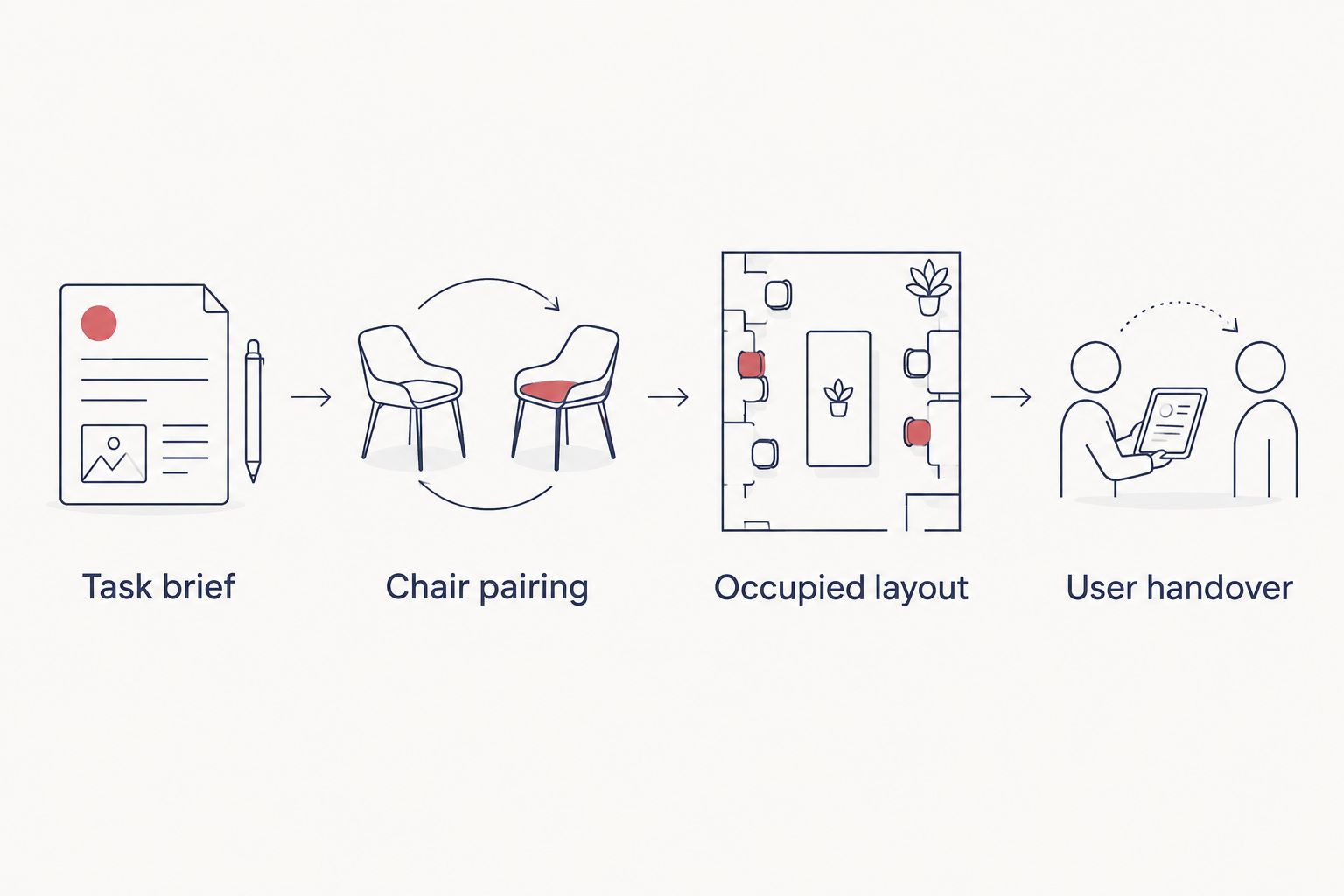
Give each participant the materials they would normally bring. An empty table can conceal a cramped working arrangement once laptops, notebooks and shared documents are in use.
Do not use extra chairs as a way to make the pod look complete. If the brief changes to include more participants, reassess the full arrangement instead of assuming another chair is a minor addition.
Expected result: the layout works during the intended activity, not merely when the chairs are pushed beneath the table.
The user handover
Make the agreed arrangement repeatable
- Record the approved furniture combination. Identify the pod, table and chair clearly, together with the task the arrangement supports. Avoid vague instructions such as using any available office chair.
- Make the chair instructions available. Direct users to the manufacturer's guidance for the actual chair controls. Do not copy adjustment instructions from a different model.
- Explain what users can change. Distinguish personal chair adjustments from changes to the shared furniture arrangement. Ask users to report a mismatch rather than quietly replacing furniture with something untested.
A short handover should explain the purpose of the layout, where to find adjustment guidance and who receives feedback. It does not need to become a long workplace policy.
For Quell Workspaces office-pod furniture, keep the relevant product information with the room brief so later replacements are checked against the same requirements. A visually similar chair is not automatically an equivalent working choice.
Expected result: users can adjust their own seat and understand the intended arrangement without repeatedly asking the facilities team to explain it.
A second workflow: switching to individual laptop work
A meeting pod used for conversations can also be assigned a separate individual-work arrangement, provided that combination is checked rather than assumed. Start again with the individual task instead of copying the shared layout unchanged.
- Position the laptop and input devices for the individual user.
- Repeat the chair-and-table check with that equipment in place.
- Confirm that the user can work without treating an adjacent chair as storage.
- Record the individual arrangement separately from the meeting arrangement.
Best for: teams with a clearly defined need for individual work as well as shared discussions. The advantage is a purposeful alternative layout; the drawback is the need to manage the change between uses.
If you are exploring a dedicated solo arrangement, review the furniture for Quell Solo office pods. Confirm the relevant furniture details rather than assuming a meeting-pod chair transfers directly to a solo workspace.
Troubleshooting
The chair fits beneath the table but feels awkward in use
Check the occupied position. Look at whether the armrests prevent a closer approach or the user sits forward to reach the equipment; then retest the chair-and-table pairing rather than relying on the tucked-away fit.
The user changes the seat height but still cannot work comfortably
Recheck the entire position, including foot support and the work surface. Do not keep changing the seat height in isolation when the underlying mismatch is between the chair, table and task.
The layout works until everyone opens a laptop
Repeat the trial with the actual equipment present. Remove non-essential tabletop items and reassess the arrangement; an empty-table trial is not approval for a screen-based meeting.
Different users keep moving the furniture
Check whether they are correcting the same problem or making personal seat adjustments. Repeated changes to the table or chair arrangement are a reason to revisit the task brief, not simply ask everyone to leave the room tidy.
Customise your workflow
Build the seating decision into the wider room brief. Record the intended activity, furniture pairing, equipment and handover instructions together so they remain consistent when the workplace changes.
The guide to writing an office-pod brief for a fit-out contractor provides a related planning topic. Keep your chair trial attached to that brief rather than treating furniture selection as a separate finishing task.
FAQ
How do I furnish an office pod with office chairs?
Define the main task, test the chair with the intended table, then trial the occupied layout. Check the arrangement with the equipment people actually use before agreeing the furniture combination.
Can I use existing office chairs in a meeting pod?
You can assess existing office chairs, but do not assume they suit the pod because they work at a desk elsewhere. Test their occupied position, documented adjustments and relationship with the pod's table.
Does an ergonomic chair automatically suit a meeting pod?
No. The chair must suit the user, work surface and task together. An ergonomic description does not confirm that a particular furniture combination will work.
Should every chair in a shared meeting pod use the same settings?
No. Users need to adjust their own seating position using the chair's documented controls. Keep the shared layout consistent without treating personal chair settings as fixed.
What should I do if chair armrests prevent me reaching the table?
Reassess the chair-and-table pairing and check the chair's documented adjustment options. Do not assume you should work farther from the table or remain perched forward to compensate.
Can the same seating arrangement serve meetings and individual laptop work?
Only treat it as suitable after testing both activities separately. Individual work and shared meetings place different demands on equipment positioning and the occupied layout.
One last thing
Keep a record of the working position, not just a photograph of neatly stored chairs. A brief note describing the task and equipment explains the decision far better than an empty-room image.
When you review Quell Workspaces seating later, repeat that same task. This gives you a consistent basis for deciding whether to retain the arrangement or change it.


