
28 October 2026 · Editorial Team
How to give remote workers a private call space in the office

Give remote workers visiting the office a bookable, enclosed place for calls, separate from shared desks and informal conversation areas. Match the space to the number of people joining locally, check a real call before making it part of your workplace routine, and set clear rules for booking and overruns. An enclosed space is not a guarantee that every conversation stays private: speech, screens and interruptions need separate attention.
- Create a private call space in the office around actual call demand, not total employee numbers.
- Quell Workspaces acoustic booths suit workplace teams planning dedicated spaces for calls and hybrid meetings.
- Match local attendance to the space: individual calls and shared video meetings have different requirements.
- Check speech privacy, screen visibility and the remote participant’s experience before introducing shared booking.
How do you give remote workers a private call space in the office?
Provide a dedicated call space, make it easy to reserve, and check that it works from both ends of the call. Start with existing enclosed rooms before deciding whether you need an additional booth. If your office lacks a dedicated individual-call space, an office phone booth is a relevant option to explore.
Use this sequence to turn the requirement into a working arrangement:
- Record the call pattern. Note when visiting workers need calls, whether those calls overlap, and how many people attend from the office.
- Separate the use cases. Distinguish individual calls from meetings where colleagues share the space.
- Choose the space. Compare an existing enclosed room with a dedicated acoustic booth or meeting pod.
- Check a representative call. Use the devices and meeting software your team actually brings to work.
- Introduce shared booking. Explain how to reserve the space, release unused bookings and handle overruns.
- Review actual use. Look for queues, unused reservations and people returning to desks to finish calls.
Do not treat buying the enclosure as the whole project. A space that is difficult to find or routinely occupied for unrelated work does not give visiting workers dependable access.
Why this matters
A remote worker visiting the office still needs to speak to people elsewhere. Being physically present does not remove client calls, project discussions or meetings with colleagues working remotely.
The practical requirement is predictable access. Plan for a worker arriving with a scheduled call, rather than assuming an empty meeting room will appear. Keep shared desks useful for desk work and make the call-space arrangement clear before the visit.
Avoid treating every call as the same task. A brief conversation, a screen-sharing session and a discussion involving several local colleagues need different arrangements, even when everyone uses the same meeting software.
Choose the space by the call, not the job title
Choose according to what happens during the call. Whether the caller is a manager, consultant or occasional visitor tells you less than local attendance, screen use and the need for privacy.
| Space option | Best for | Main advantage | Main limitation |
|---|---|---|---|
| Existing enclosed room | Scheduled calls where a suitable room is already available | Uses space your workplace already has | Competes with other room bookings |
| Individual acoustic booth | Calls with one person attending from the office | Creates a dedicated individual-call destination | Does not address calls involving several local colleagues |
| Small acoustic meeting pod | Shared calls and face-to-face discussions | Gives local participants a defined meeting space | Requires its own allocation within the office |
| Shared desk with a headset | Routine calls that do not require a private setting | Keeps the caller at their workstation | Does not enclose speech or hide the screen |
A headset and an enclosure solve different problems. A headset delivers audio to the wearer; it does not stop someone nearby hearing the wearer speak. Likewise, a visually screened desk is not automatically a private place for a sensitive conversation.
Do not allocate a larger shared room to individual calls by default. Reserve different space types according to demand, while allowing exceptions when the preferred space is occupied.
Individual calls: plan around one local participant
For individual calls, write the brief around the person using the space. Include whether they need to read documents, share a screen, take notes or move between calls and focused work.
Check the working position with the equipment they use. A laptop-only call and a discussion involving documents place different demands on the available surface. Avoid assuming that a booth’s appearance tells you how well it supports either task.
An extended single-person booth is relevant when the brief includes individual focused work as well as calls. The trade-off remains capacity: additional room for an individual does not make the space suitable for a shared local meeting.
Shared calls: count everyone attending from the office
Count local participants, not the number of faces on screen. A meeting with remote attendees still needs space for every colleague joining together from your office.
For shared calls, check whether each local participant can hear, be heard and contribute without repeatedly changing position. Include a remote colleague in the check. Their experience matters as much as the view from inside the space.
Do not assume that a shared pod includes a particular camera, display or conferencing system. Confirm the selected configuration separately, then check it using the meeting setup your team intends to use.
Match the product format to the use case
Quell Workspaces offers acoustic booths for individual work and small-group meetings. The following formats address different local attendance requirements; they are not interchangeable simply because each provides a defined space within an office.
| Product | Stated format | Best for | Limitation to account for |
|---|---|---|---|
| Omni One Plus | Extended 1-person acoustic work booth | Individual work where the brief calls for more space | Not a shared local meeting space |
| Omni Two | Compact 2-person acoustic meeting pod | Face-to-face collaboration, one-to-one reviews and dual video calls | Does not cover larger local groups |
| Omni Demi | Acoustic meeting pod for 2–4 people | Small-group brainstorming and informal team discussions | A different requirement from an individual-only call space |
Choose the format around recurring local attendance, then confirm the configuration against the task. Do not make an individual-call brief larger merely to cover an occasional group meeting if another suitable room already handles that use.


Why the right call-space arrangement varies
There is no useful allocation based on employee numbers alone. Base your decision on the calls the workplace needs to accommodate.
- Local attendance: distinguish individual callers from colleagues joining together.
- Overlapping demand: identify calls that need separate spaces at the same time.
- Call activity: account for screen sharing, note-taking and document use.
- Privacy requirements: consider both spoken conversation and visible information.
- Existing room access: check whether current rooms can reliably support the requirement.
- Booking behaviour: include unused reservations and sessions that run beyond their booked time.
These factors belong in the brief before you choose a format. Otherwise, you risk solving the wrong problem: adding group space when individual calls are competing for rooms, or adding individual booths when colleagues regularly join together.
Check speech privacy and visual privacy separately
An enclosure, a screened view and a headset are not equivalent. Check what someone outside the space can hear and see during the kind of call the worker needs to make.
Use non-sensitive material for this check. Ask a colleague outside the space to report whether they can understand speech, rather than simply whether they notice sound. Do not turn an informal workplace check into a claimed acoustic rating.
For visual privacy, look at the caller’s screen and documents from the surrounding office. Consider what colleagues passing the space can see, including when a presentation or document is being shared.
Quell Workspaces offers optional privacy film for its pods. Treat this as a visual-privacy consideration, not evidence of additional sound reduction. It does not replace checking the selected space against the conversation.
Make access predictable for visiting workers
Give the space a clear name in your booking process and explain where to find it. Include the arrangement in information sent before an office visit, rather than leaving workers to ask around immediately before a call.
Separate a reserved space from an occupied space. Someone walking past needs to know whether they can use it now; someone planning a visit needs to know whether they can reserve it later. Confirm how your workplace communicates both states without assuming the booth has booking technology built in.
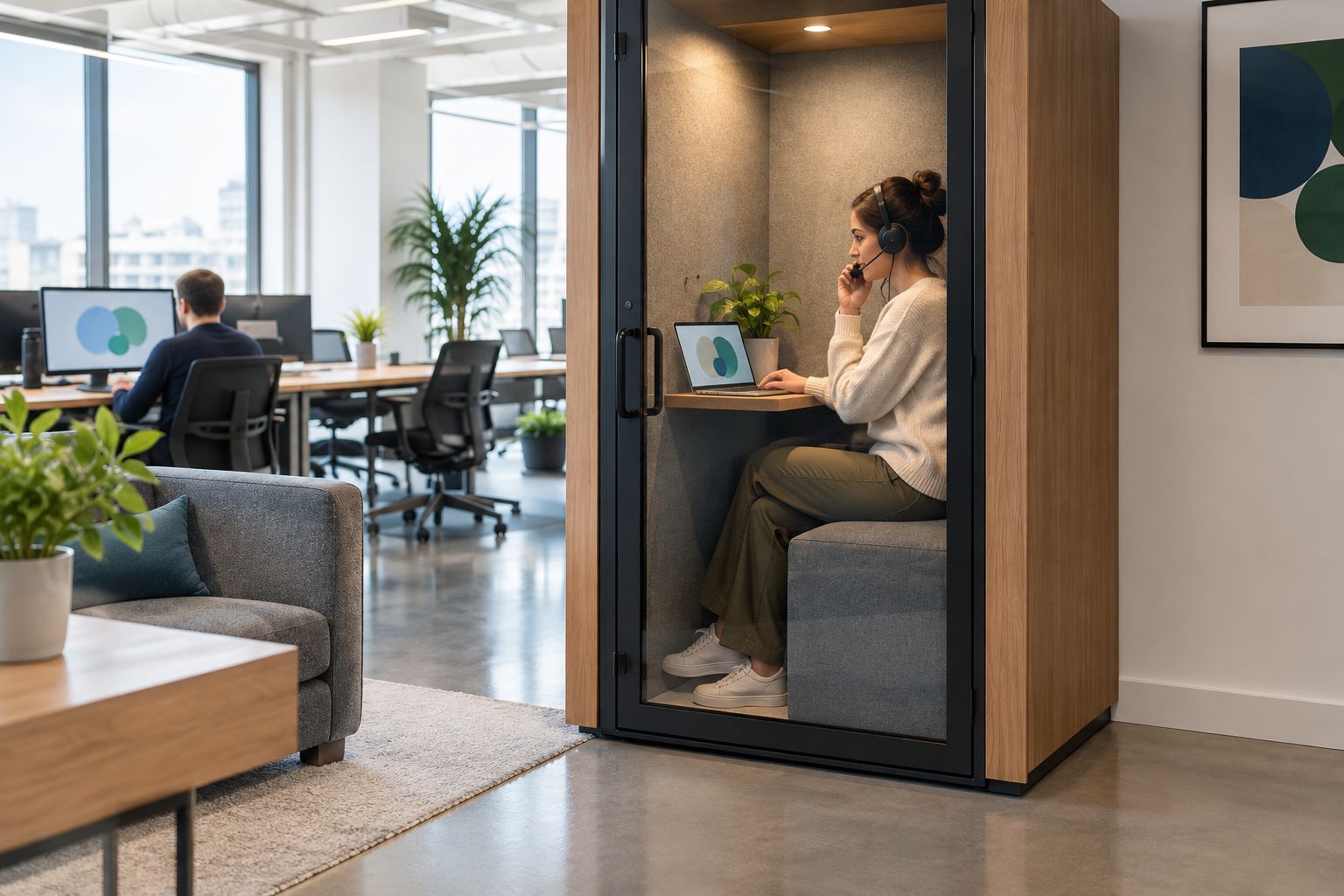
Keep the booking instructions short and practical:
- Reserve the space for the period you expect to use it.
- Release the reservation when the call moves or is cancelled.
- Leave when the next booking begins.
- Move non-call work elsewhere when callers are waiting.
- Report recurring access problems to the person responsible for workplace bookings.
Provide an alternative when the preferred space is occupied. That alternative should be an identified room or process, not an instruction to find somewhere quiet.
Check the experience from the remote end
A call space serves people outside the office too. Ask a remote colleague to join a representative session and comment on speech clarity, interruptions and whether shared material is usable.
Run the check with normal equipment and an ordinary workflow. Join the meeting, speak, share a document and finish the session as the visiting worker would. A space that looks suitable while empty still needs this practical check.
Record problems as specific actions. Replace a vague comment such as poor call experience with the issue observed: the remote participant could not hear a local colleague, the caller struggled to share a document, or another booking interrupted the session.
Avoid attributing every problem to the enclosure. Devices, meeting settings and booking practices also need attention; changing the space alone does not address those issues.
FAQ
What's the best way to give visiting remote workers a private call space?
Provide a dedicated, bookable enclosed space and check it with a representative call. Match the format to local attendance and explain access before the worker visits.
Can a headset make a shared office desk private enough for calls?
A headset does not make a shared desk private. People nearby can still hear the caller speak, and the screen remains a separate visual-privacy concern.
Should we use an existing meeting room before adding a booth?
Use an existing meeting room when it reliably meets the call requirement. Consider a dedicated booth when individual callers need an alternative to shared room bookings.
How many private call spaces does our office need?
Base the number on overlapping call demand rather than total headcount. Record when spaces are needed, local attendance and whether existing rooms can cover those calls.
Does privacy film improve sound reduction?
Privacy film should be considered separately from sound reduction. Quell Workspaces describes its film as an optional privacy addition for its pods; that does not establish additional acoustic performance.
How do we stop a call booth becoming an all-day desk?
Give calls priority through a clear booking policy. Explain when focused work is permitted and require users to release the space for the next reservation.
One last thing
Check what happens immediately before the call, not just during it. Ask a visiting worker to find the space, confirm the reservation and join using their normal device. If that journey depends on finding someone to explain it, improve the instructions before adding more space.


